
Disclosure: The marked beehiiv partner link may earn ModestStack a commission at no extra cost to you. Kit links are ordinary links. This guide is based on official product documentation and our editorial framework, not a hands on deliverability test.
The short answer: choose one reader and one recurring problem, write your first issue, and create a signup page that shows exactly what readers will receive. Start with a free platform while you test that promise. Earn early subscriptions through relevant articles, useful videos and conversations where an invitation is welcome. Pay for software when a specific limitation blocks a working process.
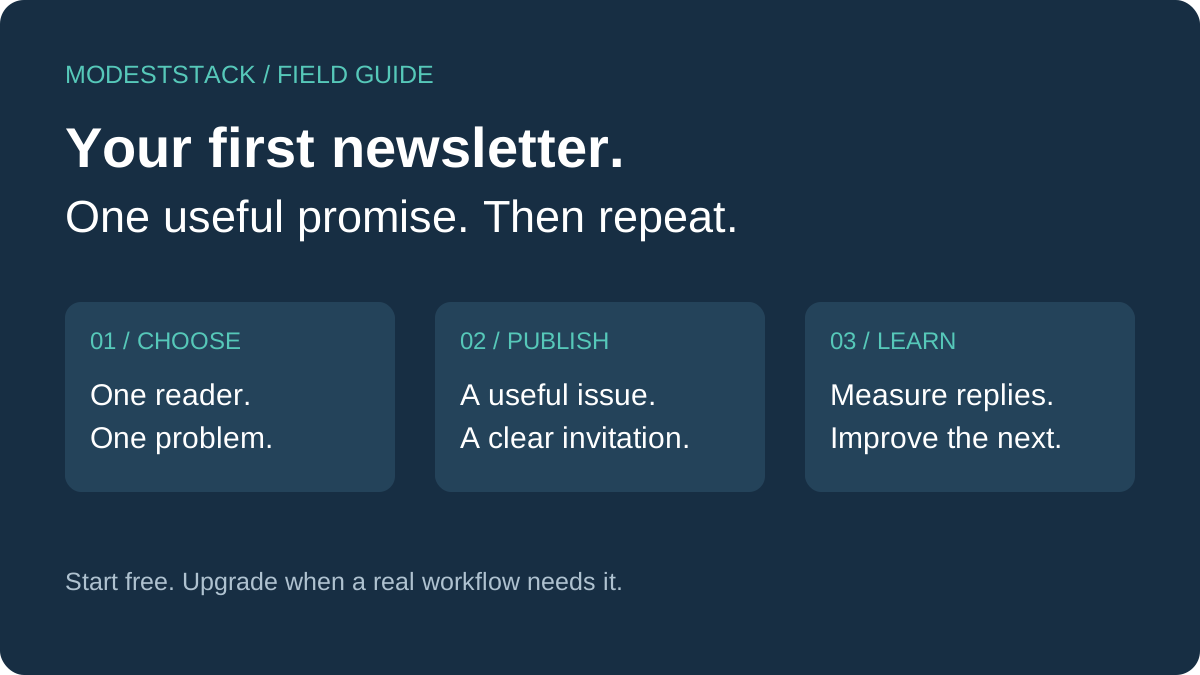
1. Write a promise people understand
“A weekly newsletter about technology” is a topic, but it does not tell a reader why to subscribe. A more useful promise is: “Every Friday, one practical workflow that helps a freelance designer spend less time managing client feedback.” The second version names a person, a recurring difficulty and an expected outcome. It also gives you an editorial filter. A story about a popular new app belongs only if it helps that reader handle feedback better.
Use this sentence before you choose a platform: “I help [specific reader] do [recurring job] through [specific format] every [cadence].” Keep the outcome within your control. You can promise a worked example, a checklist or a comparison. You cannot promise that every subscriber will earn a particular amount or save a fixed number of hours. Those results depend on the reader, the situation and whether they use your advice.
List ten questions that reader asks while doing the job. For a solo consultant, those might include choosing a booking tool, qualifying an enquiry, collecting files, sending a proposal and following up after a meeting. Choose three questions you can answer with a concrete example now. If you cannot outline three useful issues, narrow the promise before inviting subscribers. An audience grows around repeated usefulness, not a launch announcement that has nothing behind it.
2. Choose a platform by workflow
Start by drawing the reader journey on paper. A consultant might need an article, a signup form, a checklist and a later invitation to a service. A publication might need a public archive, a weekly issue and eventually paid subscriptions. These are different businesses even when both send email. Select a platform that handles your first journey with the least maintenance. Avoid paying for every possible future business model.
| Your immediate need | Starting point | What to check before paying |
|---|---|---|
| Forms, tagged subscribers and email that supports a creator business | Kit | Whether your planned sequence or automation requires a paid plan |
| A publication with its newsletter and public website together | beehiiv | Subscriber limits and the exact features included in your selected plan |
| Unproven subject and no regular publishing routine | A free plan on either platform | Whether you can publish three useful issues before adding paid features |
Kit currently lists a free plan for up to 10,000 subscribers, with forms, landing pages, broadcasts, tags and segmentation. Its current Free plan help article places email sequences and visual automations on paid plans. Do not assume that a free trial feature remains available after the trial. Check your account’s actual plan before designing a welcome sequence around it. Sources: Kit pricing and Kit Free plan documentation.
beehiiv currently lists a free tier for up to 2,500 subscribers and unlimited email sends. Its pricing page includes a website alongside the newsletter. Inspect the current plan comparison for limits and advanced features rather than relying on an old review or remembered plan name. Source: beehiiv pricing. Our beehiiv vs Kit comparison explains the broader decision, and the beehiiv review covers its publication focus.
Our recommendation is a starting hypothesis, not a universal winner: consider Kit when email supports services or products, and beehiiv when publishing is the central activity. Both can serve overlapping needs. Test the workflow you actually intend to run. Create a draft, preview the signup page, subscribe with your own test address and check the confirmation experience. The easier platform for your real task is more useful than the one with the longest comparison table.
3. Build a signup page that answers three questions
A new visitor needs to know who the newsletter is for, what arrives and how often it arrives. Put those answers above the form. Use a headline such as “One better client workflow every Friday” and a short explanation: “For independent consultants who want practical examples, simple templates and fewer overlapping tools.” Include a link to a sample issue so readers can judge the work before sharing their email address.
Ask only for information you need. An email field is usually enough for an early newsletter. Every extra field creates another decision and another piece of information to maintain. Explain the subscription clearly, include an accessible unsubscribe route in your emails and link to your privacy information. Keep a record of how subscribers opted in. Do not buy a list or quietly add addresses collected for another purpose. Those people have not asked for this newsletter.
A free resource should be a small result, not an oversized download. For a software newsletter, a one page renewal checklist can be more useful than a fifty page collection of generic tips. Give it a clear title, show a preview and let readers know whether downloading it also subscribes them. You can also publish the resource openly, as we do with the checklist below. Useful public resources give people a reason to recommend the page even when they do not subscribe.
4. Write the first issue before promoting the signup
Use a repeatable structure: describe one problem, show an example, explain the tradeoff and end with one action. Imagine an issue about a consultant paying for two scheduling tools. Start with the actual overlap, explain which booking requirements matter, and give a checklist for choosing what to keep. A product recommendation should follow the explanation. It should not replace it. Include an alternative for readers whose circumstances do not match the recommended tool.
Here is a simple welcome email you can adapt. It sets expectations without claiming experience or outcomes you do not have. If your chosen plan does not support an automated sequence, use its available confirmation or welcome features and check the exact limits. You can start a regular broadcast without building a complicated automation.
Subject: Your first practical workflow starts here
Thanks for joining. Every Friday I’ll share one practical way to make client work easier, with a worked example and a short checklist.
Start with our latest guide: [link to your sample issue]. You can read it in a few minutes and try one change today.
What part of your client workflow creates the most back and forth? Reply with the task, and I’ll use those questions to plan future issues.
If this is not what you expected, the unsubscribe link is below. Thanks for giving it a try.
Before sending, read the email on a phone. Check the subject, sender name, links, paragraph length and unsubscribe experience. Use the platform’s instructions to configure your sending domain if you have one. Keep your first design simple enough that you can produce the next issue without a designer. Consistency is easier when every issue does not require a new layout or an elaborate editing process.
5. Find readers through problems they already want solved
Begin with a focused article that answers a decision, such as “How to choose a newsletter platform for a consulting business.” Give the answer early, explain the conditions that change it and show an example. A useful title describes the question naturally. Headings should help a reader scan the page, not repeat a keyword mechanically. Add internal links to a relevant comparison and a related implementation guide so readers can take the next step.
Search traffic takes time and is not guaranteed. Publishing a page makes it available; it does not prove that a search engine has indexed it or that people will find it. Check that the page is public, linked from your site and included in your sitemap. In a verified search console, inspect the URL and monitor impressions and clicks. Use the actual queries readers find you through to improve explanations, rather than producing dozens of similar pages before learning what is useful.
Turn the same problem into a short video. Show the decision itself: one reader, one required workflow and the limitation that would justify paying. A screen demonstration or annotated worksheet is more helpful than a rapid list of product logos. Send interested viewers to the full guide, where the assumptions, sources and alternatives are visible. The video must deliver a useful answer even if the viewer never opens the link.
For Pinterest, create a clear visual checklist or decision diagram that can stand on its own. Use a descriptive title such as “Newsletter launch checklist for solo consultants.” Point the pin to the exact guide, not a generic homepage or an unrelated offer. Make the landing page fulfil what the pin promises. Use a small set of distinct ideas from the article rather than publishing many nearly identical images that all say the same thing.
Conversations can also uncover questions worth answering. Reply where you have something specific to contribute, and offer a resource only when it fits the discussion and community rules. A thoughtful answer is worthwhile without a link. When someone explicitly asks where to learn more, share the relevant guide. This approach produces better editorial research than treating comments as advertising space or counting follows as evidence of demand.
6. Measure the path from interest to a useful outcome
Track a simple sequence: article visits, newsletter subscriptions, clicks to a relevant product and confirmed affiliate conversions. These are different events. A social view does not mean someone visited the article, and an affiliate click does not mean a commission was earned. Keep platform reports separate until you have a reliable way to reconcile them. Avoid presenting estimated earnings as completed sales.
For links you publish on social channels, consistent campaign parameters can distinguish sources. For example, use utm_source=pinterest, utm_medium=organic_social and a campaign name describing the guide. Those parameters label traffic; they do not collect or report it by themselves. You still need an appropriate analytics setup. For affiliate attribution, preserve the tracking link issued by the partner platform and follow its supported tracking options.
Review results on a regular schedule instead of reacting to every small change. If people visit but do not subscribe, inspect the promise and sample issue. If subscribers do not reply or engage with useful links, ask whether the content matches the signup promise. If readers click recommendations but do not convert, examine fit, cost and the destination experience. Do not immediately solve every weak result by adding more traffic or buying another tool.
Upgrade when you can name the constraint. Perhaps a working welcome process needs multiple sequences, the list exceeds the free tier, or a paid feature removes a recurring manual task. Estimate the full cost, including annual billing and the next subscriber tier. Compare it with the outcome you expect, and set a review date. Paying for a platform is an operating decision, not proof that the newsletter has become a business.
7. A realistic 30 day launch plan
Days 1 to 7: define the reader, write three issue outlines and finish one sample issue. Choose a free platform, build one signup page and test the complete subscription path. Publish one guide that addresses the reader’s most immediate problem. Ask a small number of relevant people for feedback on the promise, without adding them to a list or assuming that feedback is a subscription.
Days 8 to 14: publish the first regular issue. Create one useful video and two distinct pins from the guide. Answer real questions in the places where your intended readers already discuss the problem. Keep notes on confusing terms, unanswered questions and objections. These notes should shape issue two more than a generic content calendar does.
Days 15 to 21: publish the second issue and improve the original guide using what you learned. Add a worked example or comparison only where it helps resolve a real decision. Check that signup and product links still lead to the intended destination. If you recommend an affiliate product, explain who should avoid it as clearly as you explain who should consider it.
Days 22 to 30: publish the third issue and review the available evidence. Count actual subscriptions and replies, not just impressions. Choose the next guide from the questions people asked. Keep the software setup unchanged unless a specific limitation prevented delivery. Your first month’s useful result is a repeatable publishing process and a clearer understanding of the reader, not a promised revenue milestone.
Your newsletter launch checklist
No signup required. Tick these items in this session or print a copy.
Common questions
Do I need an audience before starting?
No. You need a specific reader, a useful sample and a way for interested people to subscribe. An existing following can help distribution, but it does not replace a clear promise or a reliable publishing habit.
Should I choose the platform with the biggest free plan?
Only if it also supports your workflow. A subscriber allowance does not tell you whether sequences, automations, publishing features or integrations are included. Check the feature you need today and the cost of the next step.
When should I add affiliate recommendations?
When a product helps solve the problem discussed in the issue. Explain the reasoning, include limitations and make any commission relationship clear near the recommendation. A useful guide should remain useful without a purchase.
Choose your next step
For a creator email workflow, check Kit’s current plans. For a publication centred on its newsletter, explore beehiiv.
The following is a partner link. ModestStack may earn a commission.
Explore beehiivStill deciding? Read the beehiiv vs Kit comparison before signing up.